
Language settings are configured on a per-service basis. On this page, we aim to list the settings for the main services.
If you for example receive reminder messages in the wrong language, please follow the instructions in these instructions.
Settings for reminder messages
You can choose the language in which you receive reminder messages.
Adjust your language settings in the MyAccount service.
Read more about the MyAccount service in the separate instructions.
Language settings in Flamma
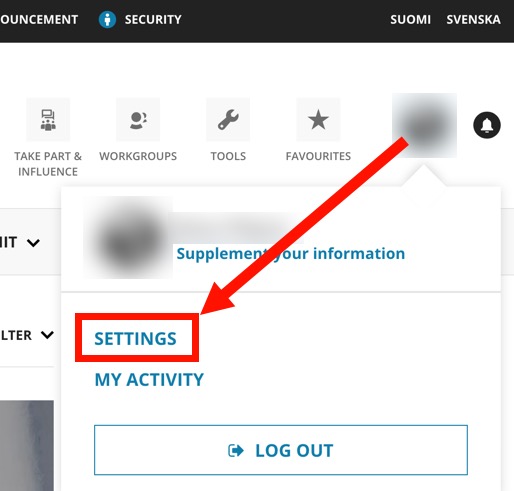
Click on profile icon (1). Select Settings.
Go to the My settings tab. Find the Select default language for Flamma and select the desired language from the drop-down menu. The options are Finnish, Swedish and English.
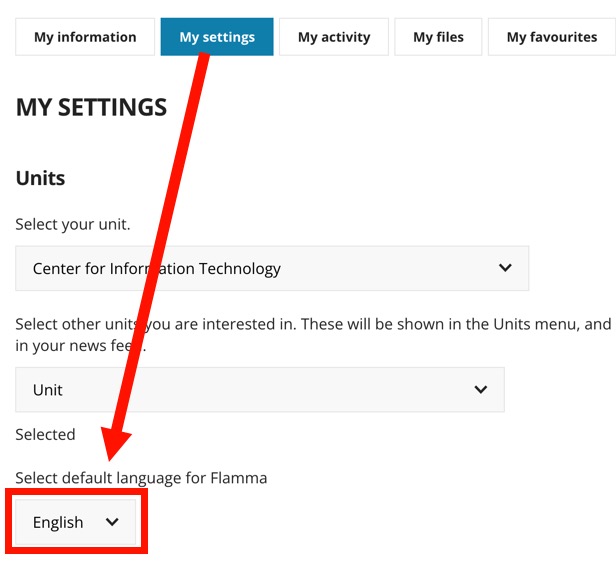
The default language for Flamma will always be the language you choose when you log in.
Moodle language settings
The language setting in Moodle is set as follows:
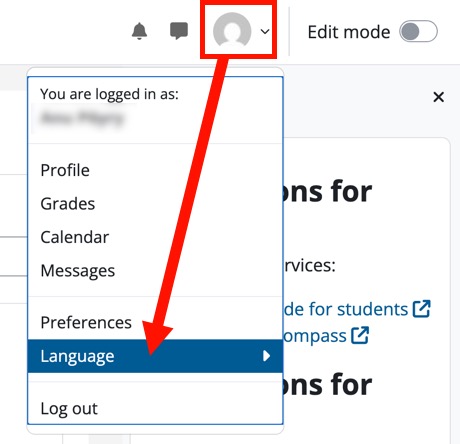
- After logging into Moodle, click on your profile icon and click on Language in the menu that appears.
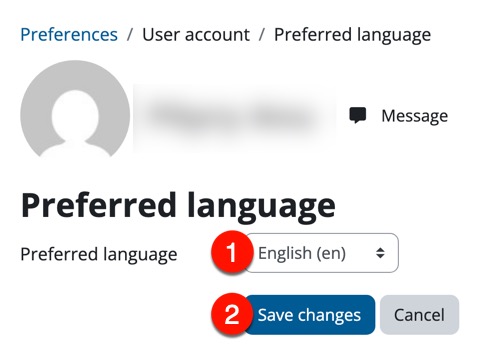
- Select Set preferred language from the drop-down menu.
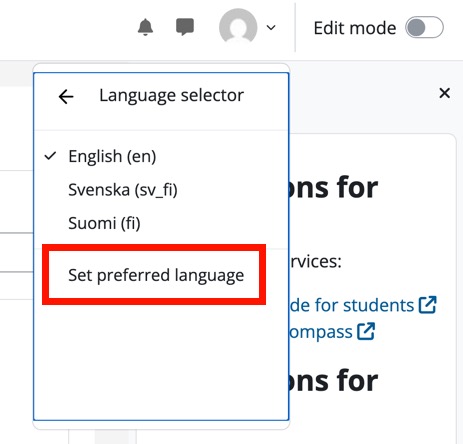
- Select the preferred language from the drop-down menu (1) in the window that opens. The options are Finnish, Swedish, English. Save your changes (2) and Moodle will remember your choice the next time you log in.
Language settings for Office programs
Other settings
Give feedback
The instructions site of the University of Helsinki's IT Helpdesk helps you with IT-related issues related to your work. Let us know how we can improve our instructions. We greatly appreciate your feedback!
How would you improve these instructions?