
You can now directly use the PowerPoint and Word templates of the university and faculties in applications on the university Windows and Mac computers. Please remember that the slide templates are intended for presentations. If you upload materials permanently online, please remember the accessibility requirements.
The templates are also still available in the Uni Material Bank. You can download them from your computer there if you are using your home computer.
For now, the templates can only be used in applications downloaded onto the computer, not in OWA via a browser.
Quick help
Table of contents
Windows
Word
- Open the application
- Select File > New > Shared
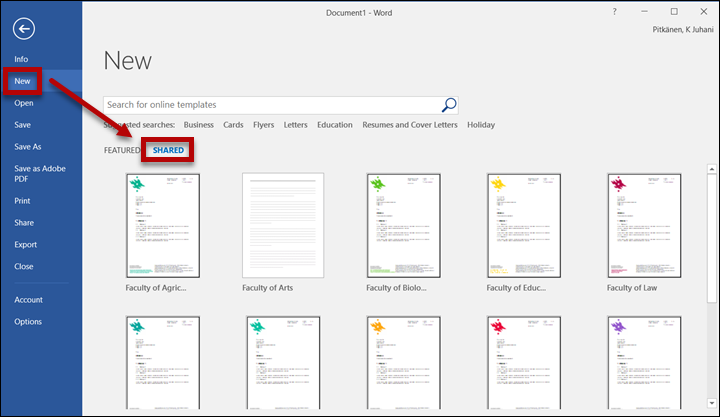
- Select a university or faculty template by double-clicking it.
- Edit the document according to your preferences and save it.
PowerPoint
- Open the application
- Select File > New > Shared
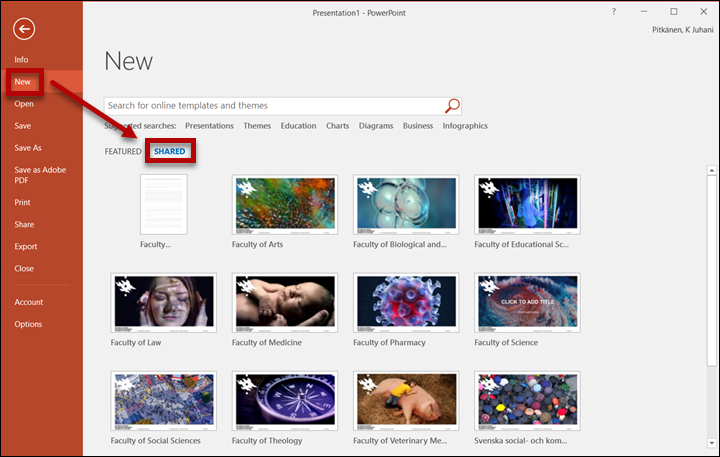
- Select a university or faculty template by double-clicking it.
- Edit the document according to your preferences and save it.
Mac
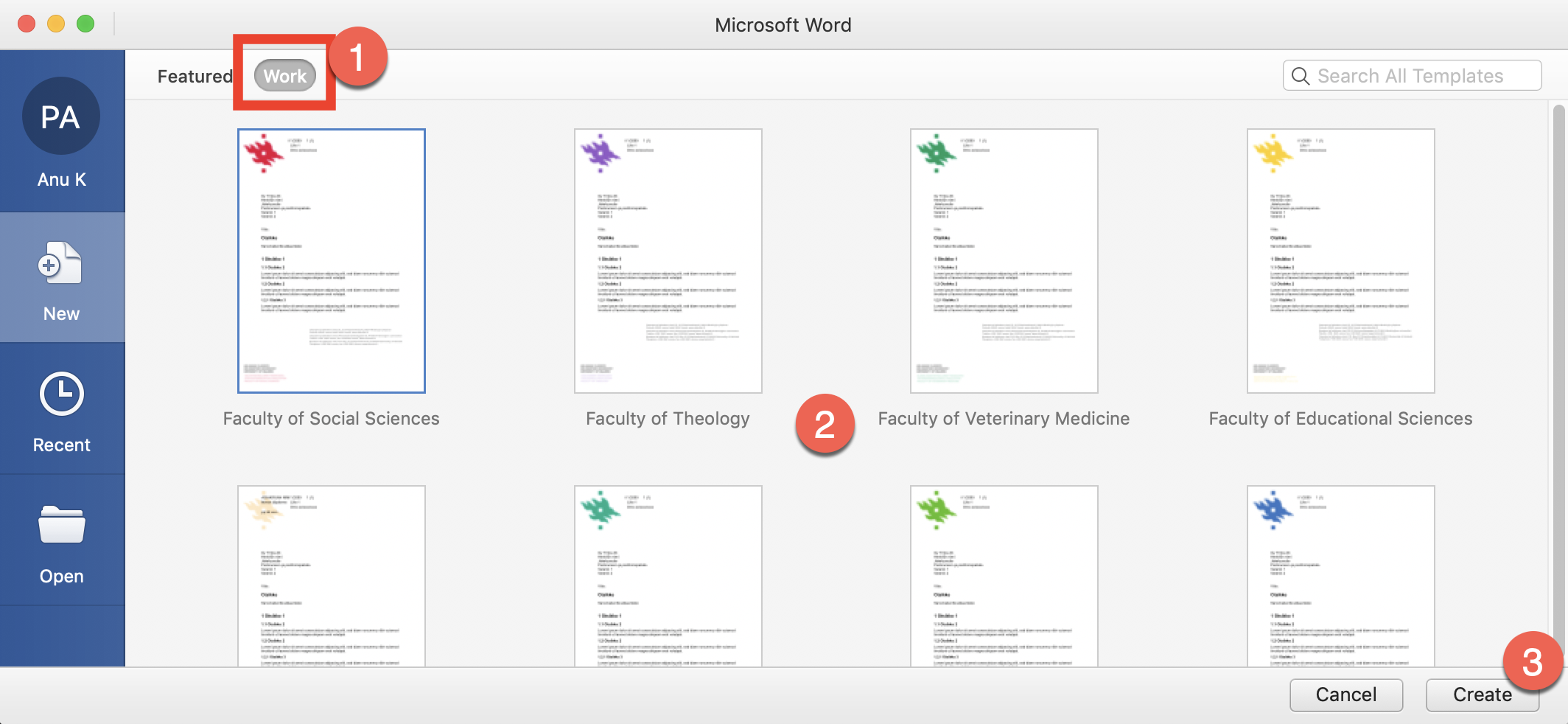
Word
- Open Word
- In the new window, select Work (1)
- Select a university or faculty template by double-clicking it. ä. (2)
- Click Create (3)
- Edit the document according to your preferences and save it.
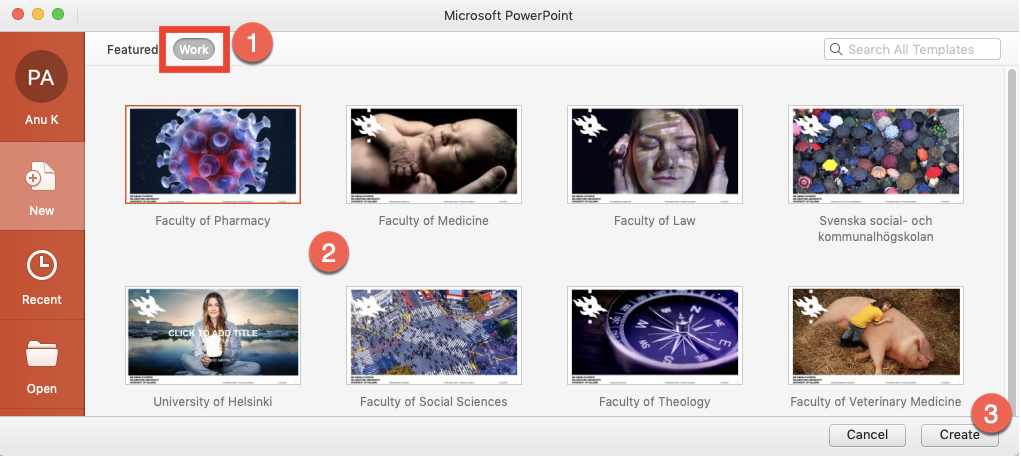
PowerPoint
- Open the application
- In the new window, select Work (1)
- Select a university or faculty template by double-clicking it. (2)
- Click Create (3)
- Edit the document according to your preferences and save it.
Office applications in the browser
The templates are not currently available in the browser versions of Office applications.
Detailed help
Video instruction
Give feedback
The instructions site of the University of Helsinki's IT Helpdesk helps you with IT-related issues related to your work. Let us know how we can improve our instructions. We greatly appreciate your feedback!
How would you improve these instructions?